Free module
Battleboard
Automatically posts a battle report every time your guild participates in a fight. Server checked every 3 minutes.
Configure the battleboard. Must be done first before any other command.
Shows the current battleboard configuration.
Posts the most recent battle immediately to verify everything is working.
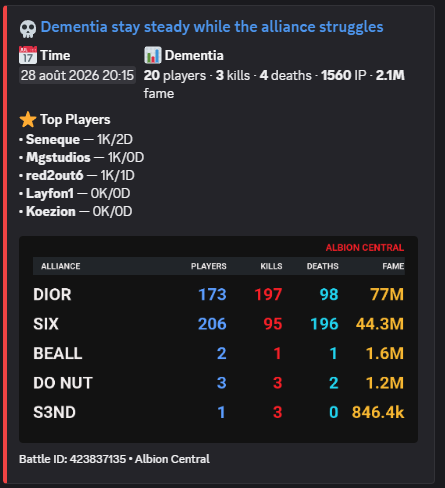
Combine multiple battle IDs into a single embed — useful for ZvZ sessions with multiple fights.
371099843,371096800Enable or disable automatic posts without losing your configuration.
Free module
Agenda
Posts a live embed showing upcoming events for the next 7 days. Updates automatically. Past events disappear on their own.
Posts the live agenda embed in the current channel. Events from the dashboard or /cta post appear automatically.
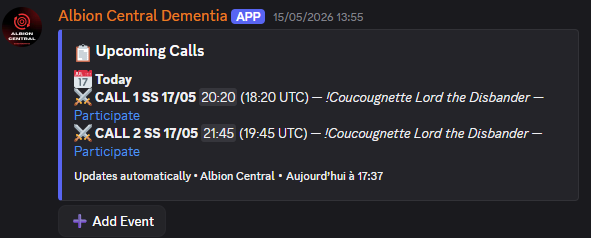
Remove a manually added agenda event. Select from the autocomplete list of upcoming events. Caller+ only.
Free module
Map Objectives
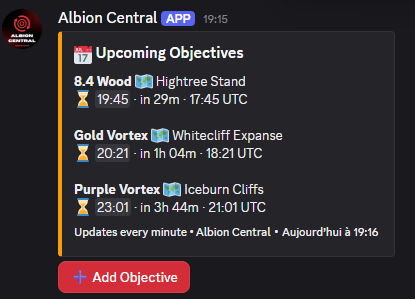
Posts a live embed refreshing every minute. Members can add map objectives (vortex, cores, nodes) with a countdown timer. Objectives disappear when the timer expires.
Posts the live objectives tracker in the current channel. Refreshes every minute.
Premium module
Regear
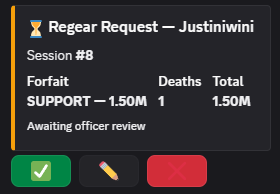
Manage regear sessions after ZvZ. Players submit deaths, callers validate amounts, payouts sent automatically.
Opens a regear session from recent battles. Players with deaths are pinged automatically.
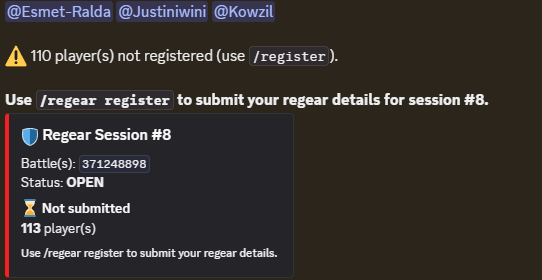
Players use this command to select their forfait and submit their regear request for the current session.
Premium module
CTA Post
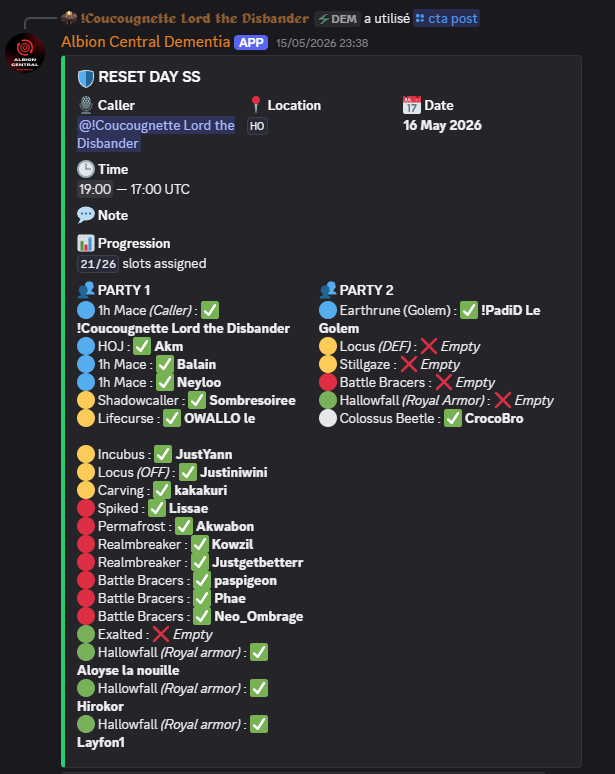
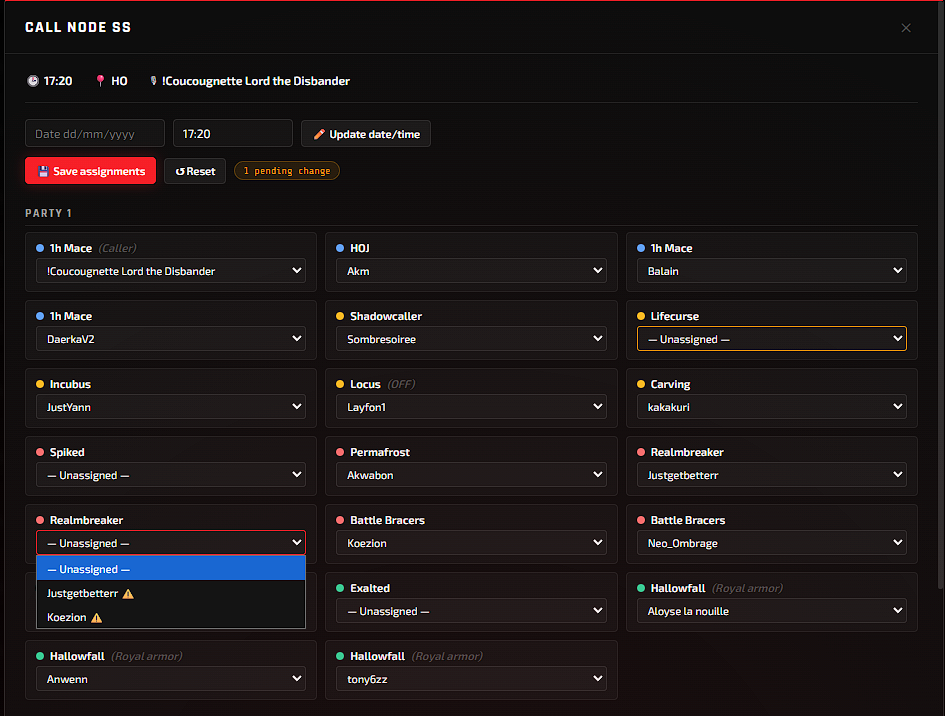
Create and manage CTA events with role assignments, composition management and automatic agenda integration. The embed updates live on Discord!
Posts a CTA with a composition saved on the website. Players register directly via Discord.
Manually assigns registered players to available slots.
Officer/PM/Admin only — registers another Discord member to a CTA event on their behalf. The registered member can unregister themselves via the "My Registration" button.

Premium module
🛡️ Builds
Attach full equipment loadouts — weapon, armor, cape and consumables, tier and enchant included — to the weapons used in your Compos. Fully optional: a Compo works exactly the same with or without builds.
Shows the equipment card for a weapon in a saved Compo — resolves the specific build for that slot's comment, or the weapon's default build if it has none. Ephemeral.
Premium module
Guild Bank
Full guild bank tracking, transactions, leaderboard and balance management from the web dashboard.
Displays your current silver balance.
Displays the server leaderboard with all player balances.
Links your Albion Online character to your Discord account.
Displays the balance of any player.
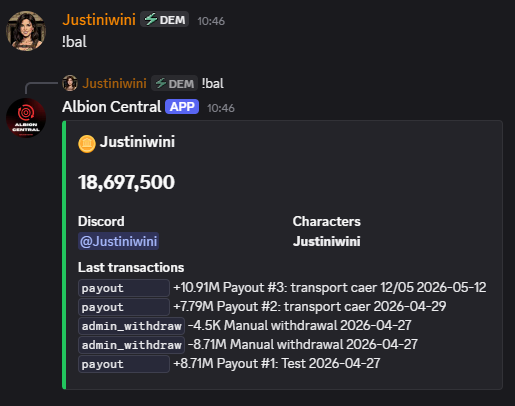
Officer commands to manage silver deposits, withdrawals and full account resets.
Premium module
💰 Payout
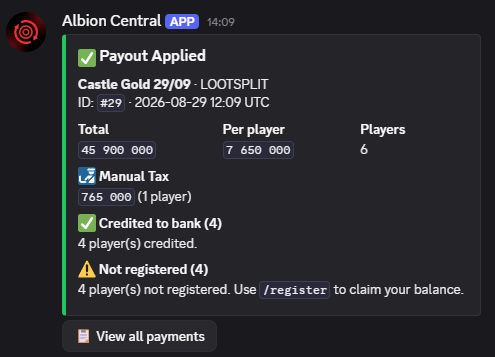
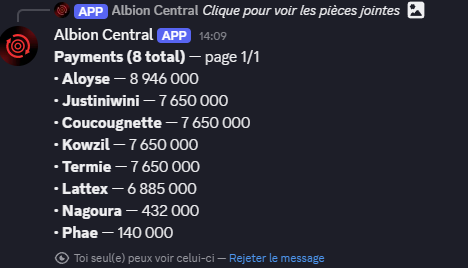
Manage lootsplit payouts after ZvZ. Set loot value, repairs, taxes and roles — the bot calculates and credits everyone automatically.
Creates a new payout session. Set the title, caller, payout manager, officers and scouts. Then add loot value, repairs and participants to calculate the split.
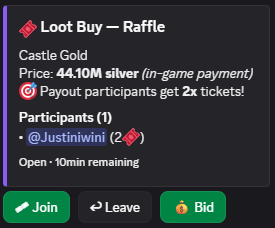
Relaunches a loot buy raffle/auction for an existing payout — useful if the original loot buy was interrupted (e.g. after a bot restart). Requires the payout ID, shown via /payout history.
How it works
- Set up taxes — at 0% they are not applied.
- Clicking PAY automatically credits each player's bank balance.
- Enable a Raffle or Auction on each payout individually.
- A Regear Pool can be reserved before splitting.
Calculation example (20 players)
- Repairs: 5 000 000 = 95 000 000
- Selling tax 8.5%: -8 075 000 = 86 925 000
- Guild tax 1%: -869 250
- Caller tax 0.5%: -434 625
+ Silver bag: +2 000 000
Pot: 87 621 125 / 20 = 4 381 056 / player
Payout embed buttons
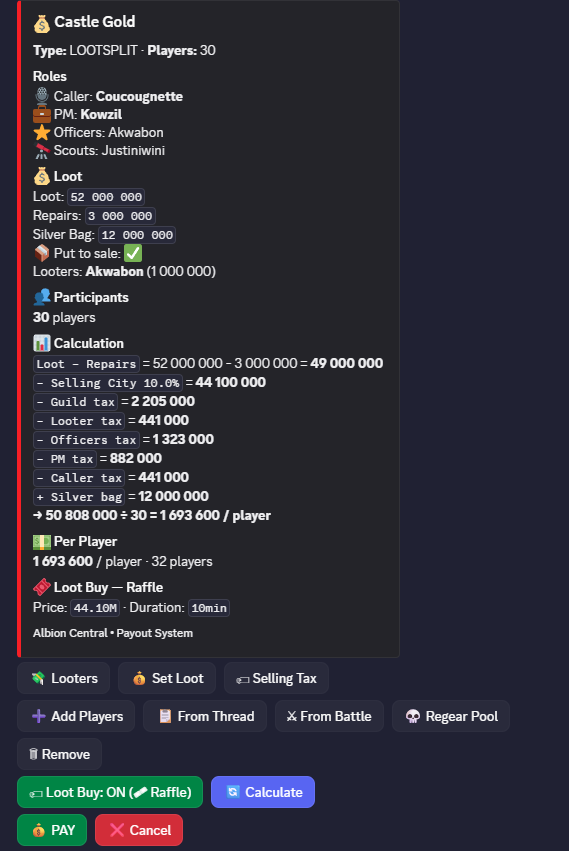
You can set up raffles or auctions to buy back the tab (optional — can be enabled/disabled for each payout).
Premium module
📊 Attendance
Automatic attendance tracking from battleboard data, weekly reports, DM alerts and leaderboard embed.
Post the live attendance leaderboard in the current channel. Backfills recent battles automatically. Updates daily at 10:00 UTC.
Enable or disable attendance tracking. When disabled, embeds stop updating, Saturday DMs are not sent, and battles are not recorded.
Set minimum attendance thresholds and battle filters.
Check attendance for a Discord member. Shows 7-day and 30-day attendance counts with ✅/🔴 vs required minimum. Ephemeral.
Mark CTA participants as attended. Provide the CTA event ID. Records all assigned players as present.
Import attendance from specific battle IDs. Comma-separated list. Useful to recover missed battles.


Premium module
🟣 Absence Tracker
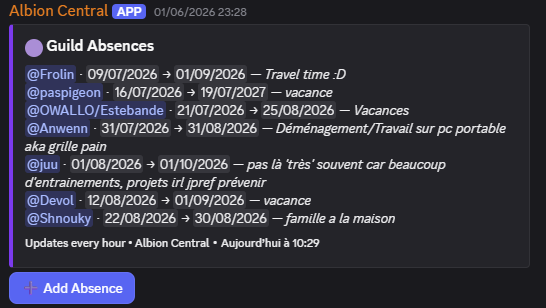
Post a live embed showing upcoming absences for the next 7 days. Members report their own absences directly from Discord. Absences are stored even if they start more than 7 days away.
Post the live absence embed in the current channel. Officer+ only. Members can then click ➕ to report an absence.
Remove all absences for a specific member. Officer+ only.
Accessible to all members. Opens a form to enter start date (dd/mm/yyyy), end date, and a short reason. The absence is stored immediately even if the start date is more than 7 days away.